
Download ProRes – AI‑Powered Resume Optimization Tool
Why ProRes Is the Resume Builder You’ve Been Waiting For
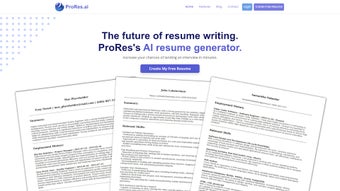
ProRes is an AI‑driven resume optimization tool designed to turn ordinary CVs into compelling, job‑specific documents that catch both human recruiters and applicant tracking systems (ATS). In today’s competitive job market, a generic resume often disappears in a sea of applicants. ProRes tackles this problem by allowing users to feed their personal profile—education, work history, and skill set—alongside the exact job description, company culture notes, and required competencies.
The platform’s sophisticated language model then parses the data, matches key phrases, and restructures the content to highlight the most relevant achievements. The result is a polished PDF that reads naturally, passes ATS keyword filters, and showcases the candidate’s fit for the role. Whether you’re a fresh graduate looking for your first position, a mid‑career professional seeking a pivot, or an executive aiming for a C‑suite role, ProRes adapts its suggestions to the seniority and industry you target.
Its intuitive interface means you don’t need a background in AI or design—just the details of your career and the job you want, and ProRes does the heavy lifting. By automating the tailoring process, ProRes saves hours of manual editing, reduces the risk of human error, and boosts confidence that your application stands out in the recruiter’s inbox.
Key Features That Make ProRes a Must‑Have Tool
- AI‑Based Content Matching: Analyzes job postings and aligns your experience with the most relevant keywords.
- Dynamic Template Library: Offers modern, ATS‑friendly templates for every industry and career level.
- One‑Click PDF Export: Generates a high‑resolution PDF ready for upload or email.
- Real‑Time Editing: Allows you to fine‑tune suggestions before finalizing the document.
- Company‑Specific Customization: Incorporates corporate values and preferred terminology when you provide company details.
- Multi‑Platform Access: Fully functional on Windows, macOS, iOS, and Android devices.
- Secure Data Handling: End‑to‑end encryption protects your personal information throughout the process.
- Version History: Keeps track of changes so you can revert to previous drafts if needed.
ProRes runs seamlessly on Windows 10/11, macOS 12 and later, iOS 13 and later, and Android 9 and later. The web‑based interface means you can also access the tool from any modern browser without installing additional software.
How to Install, Use, and Evaluate ProRes
Installation & Setup: Simply visit the official ProRes website and click the “Download” button for your platform. For desktop users, a lightweight installer (under 50 MB) guides you through a standard installation wizard. Mobile users can download the ProRes app from the Apple App Store or Google Play Store. After installation, launch the app and create a free account using your email or social login.
Step‑by‑Step Usage: 1) Enter your personal data—education, work experience, and core skills. 2) Paste the full job description or upload it as a PDF. 3) Optionally provide company culture notes or specific keywords you want emphasized. 4) Click “Generate Resume.” ProRes will present a draft with highlighted sections and a confidence score indicating ATS compatibility. 5) Review the suggestions, make manual edits if desired, and click “Export PDF.” The entire process typically takes 5‑10 minutes for a standard CV.
Pros
- Speeds up resume customization for multiple job applications.
- Improves ATS pass‑rate with data‑driven keyword optimization.
- User‑friendly interface suitable for non‑technical users.
- Cross‑platform support ensures flexibility.
- Strong security guarantees privacy of sensitive career data.
Cons
- Free tier limits the number of resumes per month.
- Advanced industry‑specific templates require a paid subscription.
- AI suggestions may occasionally need human nuance refinement.
Frequently Asked Questions
Is ProRes really free to use?
ProRes offers a robust free tier that allows up to three resume generations per month. For unlimited access, premium plans start at $9.99 per month.
Can ProRes help me pass ATS filters?
Yes. The AI engine extracts high‑impact keywords from the job posting and re‑writes your bullet points to match the exact phrasing recruiters and ATS systems look for.
Do I need to install any additional software?
No. ProRes works directly in your web browser, and the desktop app is a lightweight installer that does not require extra runtimes.
How secure is my personal data?
All data is encrypted in transit (TLS 1.3) and at rest. ProRes does not share your information with third parties without explicit consent.
Can I customize the design of the final PDF?
Absolutely. ProRes includes a library of modern templates, and each template offers color, font, and layout adjustments before export.
Final Thoughts – Boost Your Job Search with ProRes
In a market where every word counts, ProRes gives you the technological edge to craft resumes that speak directly to hiring managers and automated screening tools. Its AI engine reduces the time spent on manual editing, while the secure, cross‑platform design ensures you can work from any device. Whether you’re just starting out or looking to ascend to senior leadership, ProRes adapts to your career stage and the specific demands of each job posting.
Take advantage of the free tier to test the service, and if you need unlimited generations, the affordable premium plan is a worthwhile investment in your professional future. Ready to make your next application stand out? Download ProRes now and start building the resume that lands you the interview.
ProRes transforms the tedious resume‑writing process into a fast, data‑driven experience. The AI suggestions are accurate, the interface is clean, and the PDF export looks professional. Highly recommended for job seekers at any level.



.png)



